
Your cash, payables and receivables on one page.
Upload a few short reports each week or month. FinanceLens shows your bank balance, payments due, supplier and customer balances and group company balances together, tells you what cash is left above your minimum, and opens the detail behind any chart in one click.
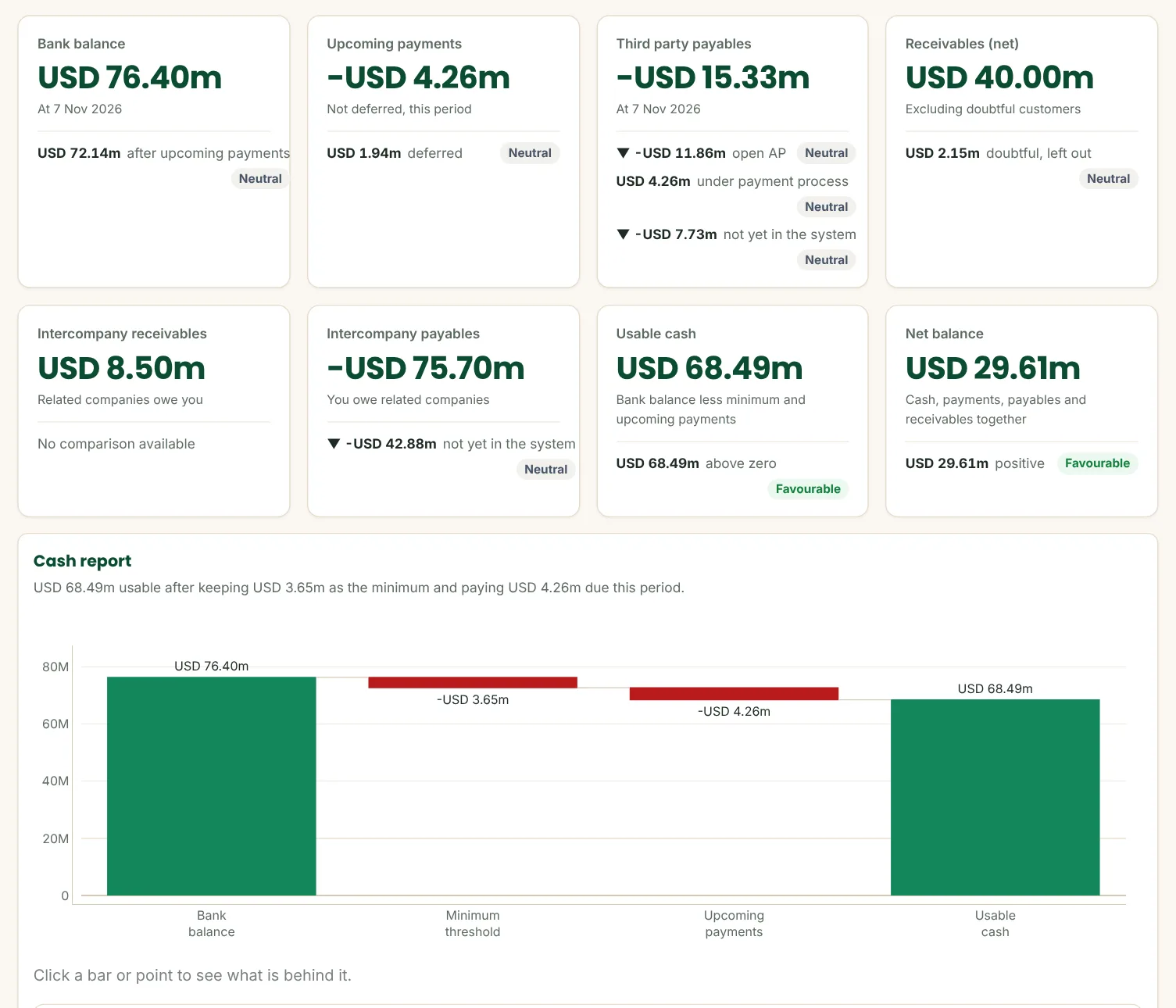
Sample company data. Amounts in USD.
FinanceLens in one minute.
From short uploads to a checked finance dashboard, shown with a demonstration company.
Your weekly finance report, built for you.
Key figures
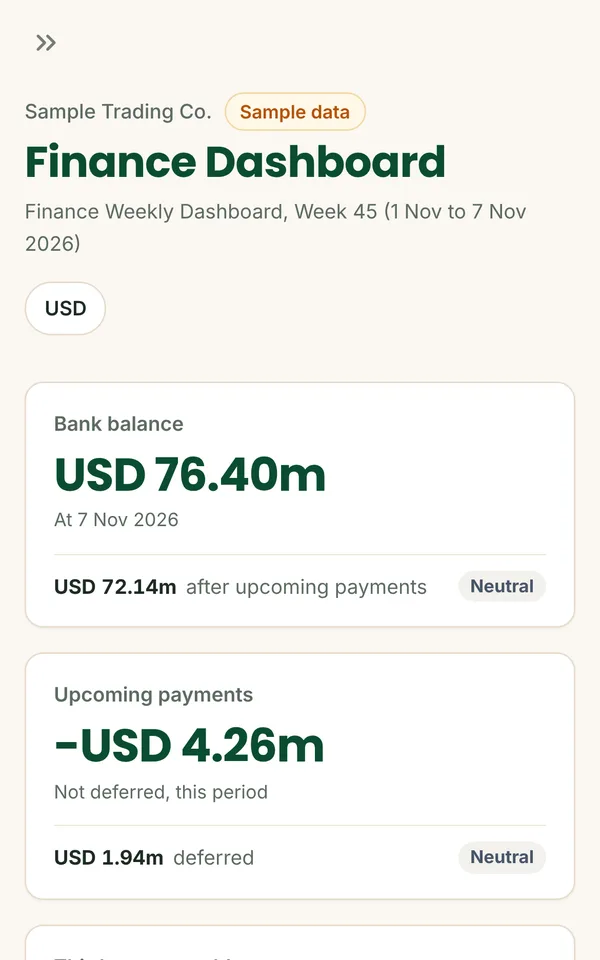
Bank balance, payments due, third party payables, receivables, group balances and the net position, with what each is made of.
Usable cash
Your bank balance after the minimum you keep and this period's payments, so you know what is really free.
Payments you control
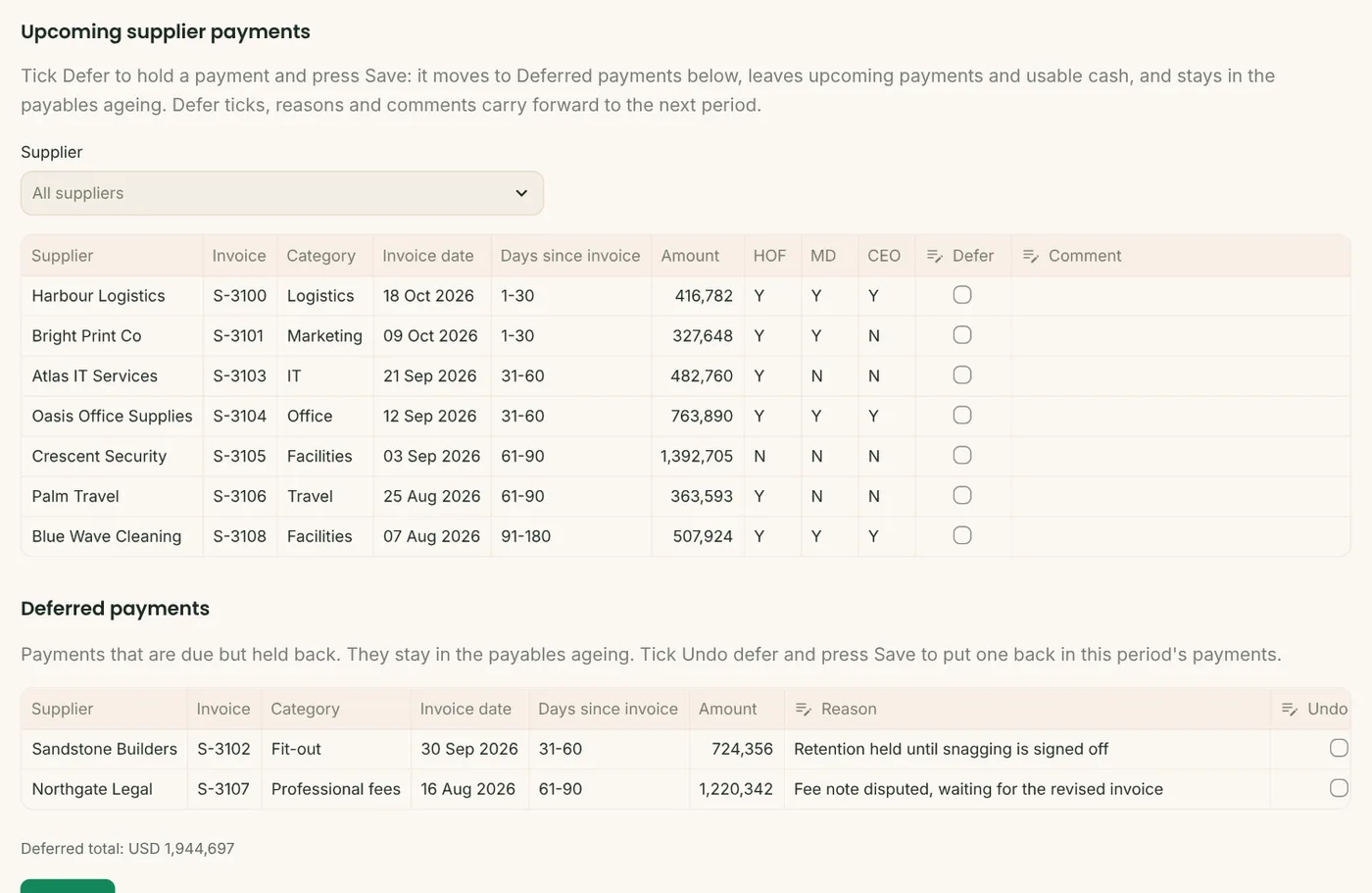
Payments due with their approval stage. Defer one with a reason, and bring it back whenever you are ready.
Payables and receivables
Ageing by supplier and customer, bills already being paid counted once, doubtful customers shown apart.
Intercompany
What group companies owe you and what you owe them, always shown separately, never netted.
Excel pack
Every table behind the dashboard in one workbook, ready to send to the owner or board.
From short uploads to decisions.
Cash left after the minimum and payments due
A bridge from bank balance to usable cash: the minimum you keep and this period's payments taken off.
- Every chart has a one-line takeaway
- Payments due by category
- Weekly, fortnightly, monthly or a custom period
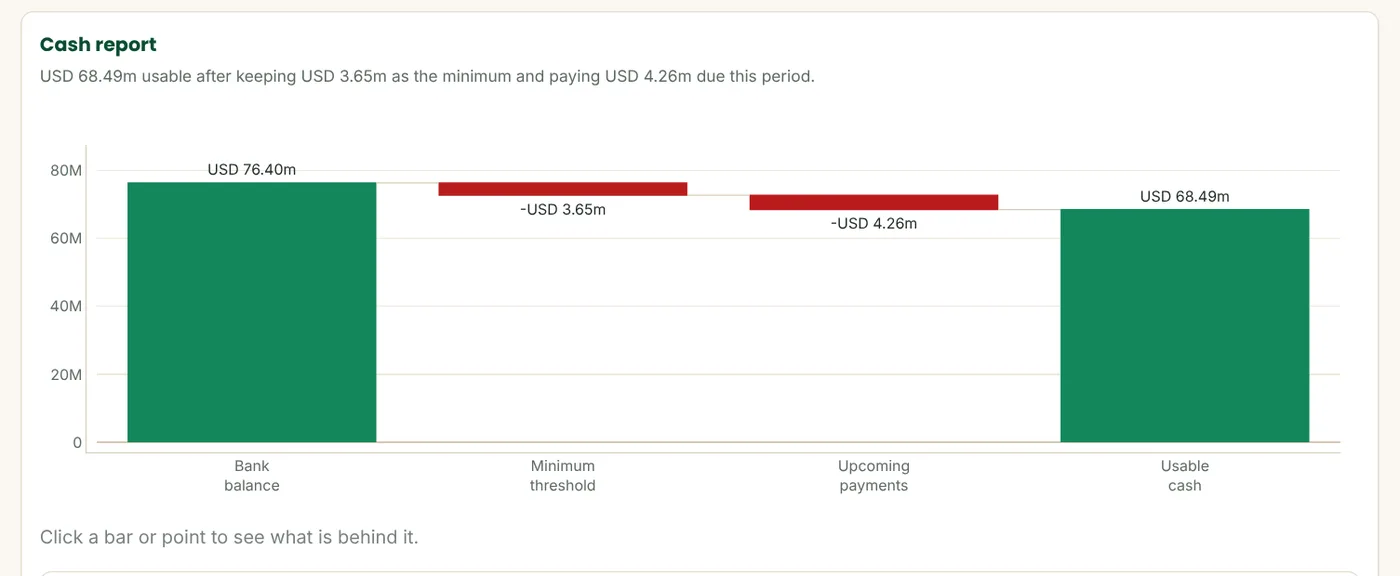
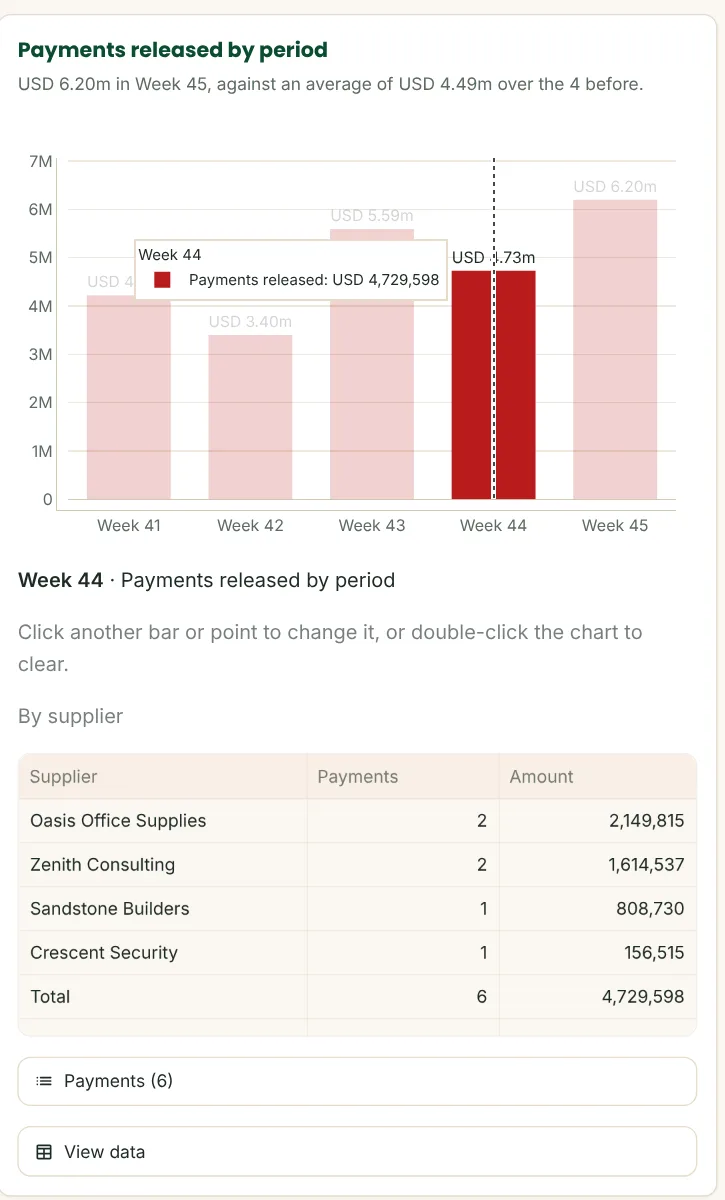
Click any chart to see what is behind it
Click a bar and the rows behind it open underneath. Click Week 44 on the payments chart and you see who was paid, with every payment listed. Every detail adds up to the bar you clicked.
Defer a payment, and say why
Tick Defer on a payment you want to hold and give the reason. It moves to Deferred payments, leaves this period's usable cash and stays in the payables ageing. Undo it at any time.
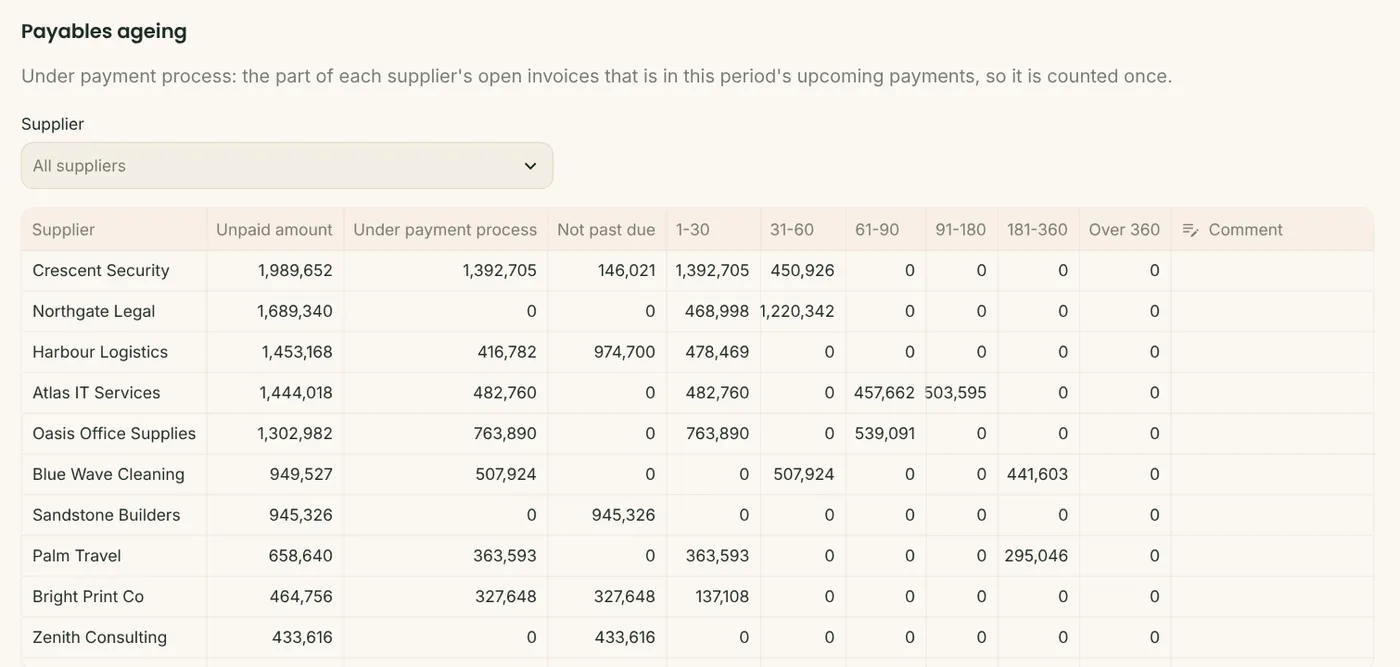
Supplier ageing, each bill counted once
Ageing by supplier and days past due, with the part already in this period's payments shown, plus invoices not yet in your system.
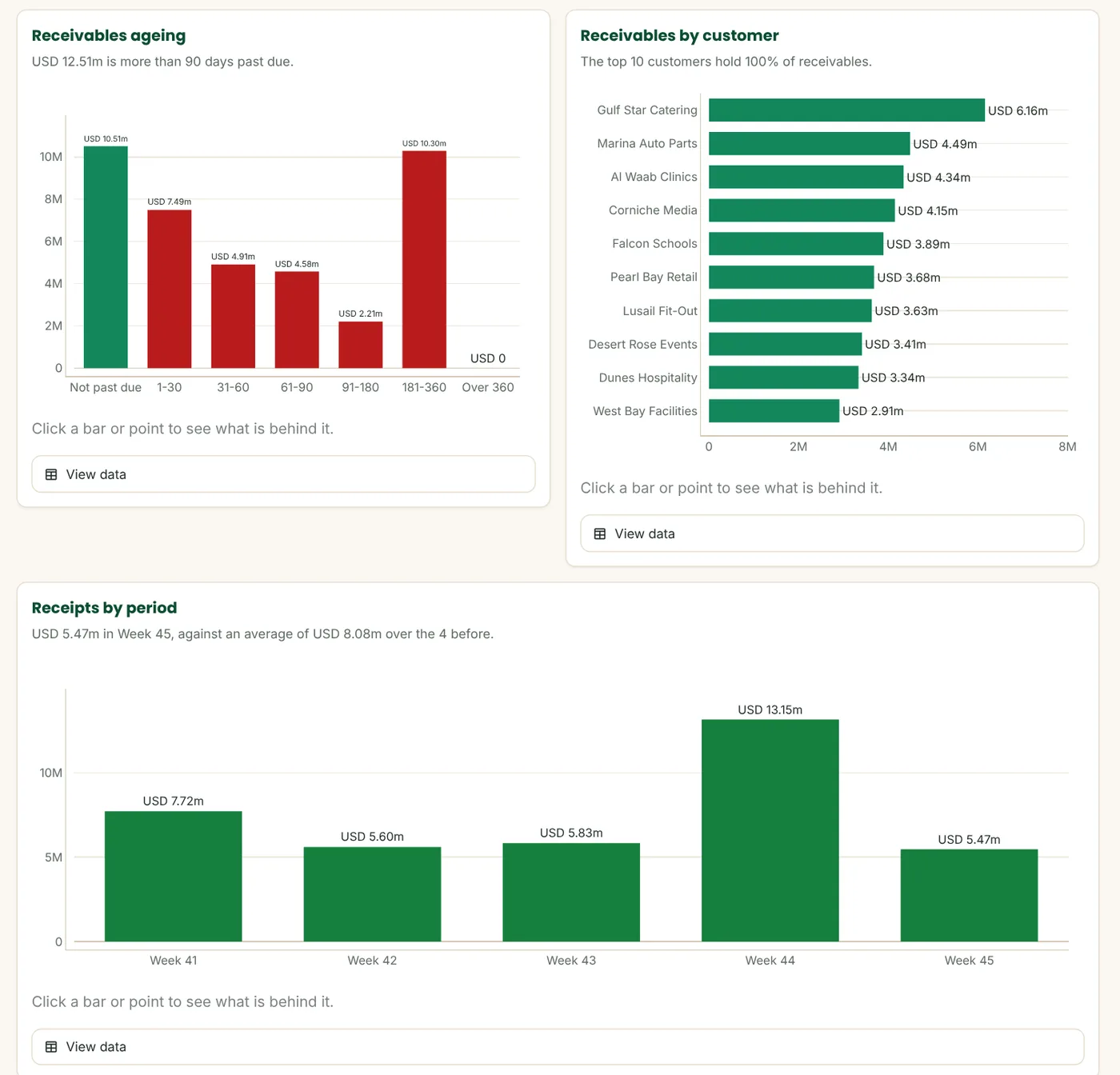
Who owes you, and for how long
Receivables ageing, your top customers and receipts by period, with doubtful customers shown apart.
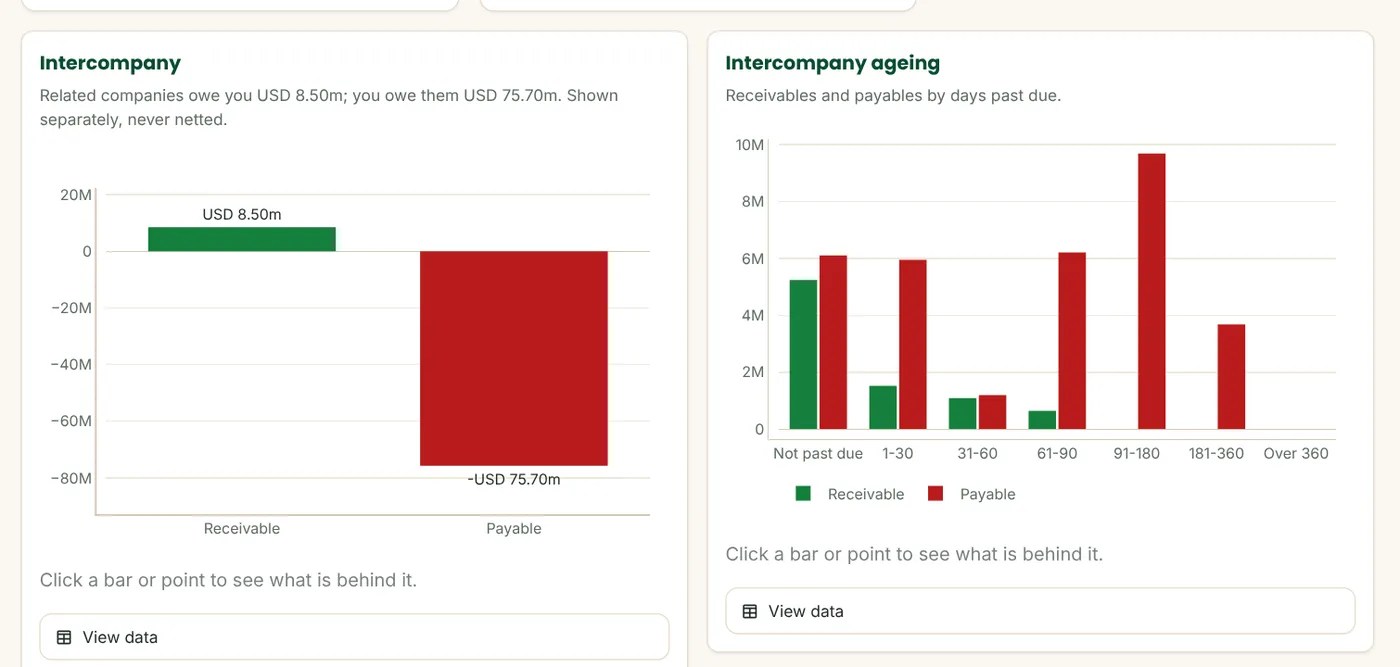
Group balances, never netted
What related companies owe you and what you owe them, side by side, with ageing by company.
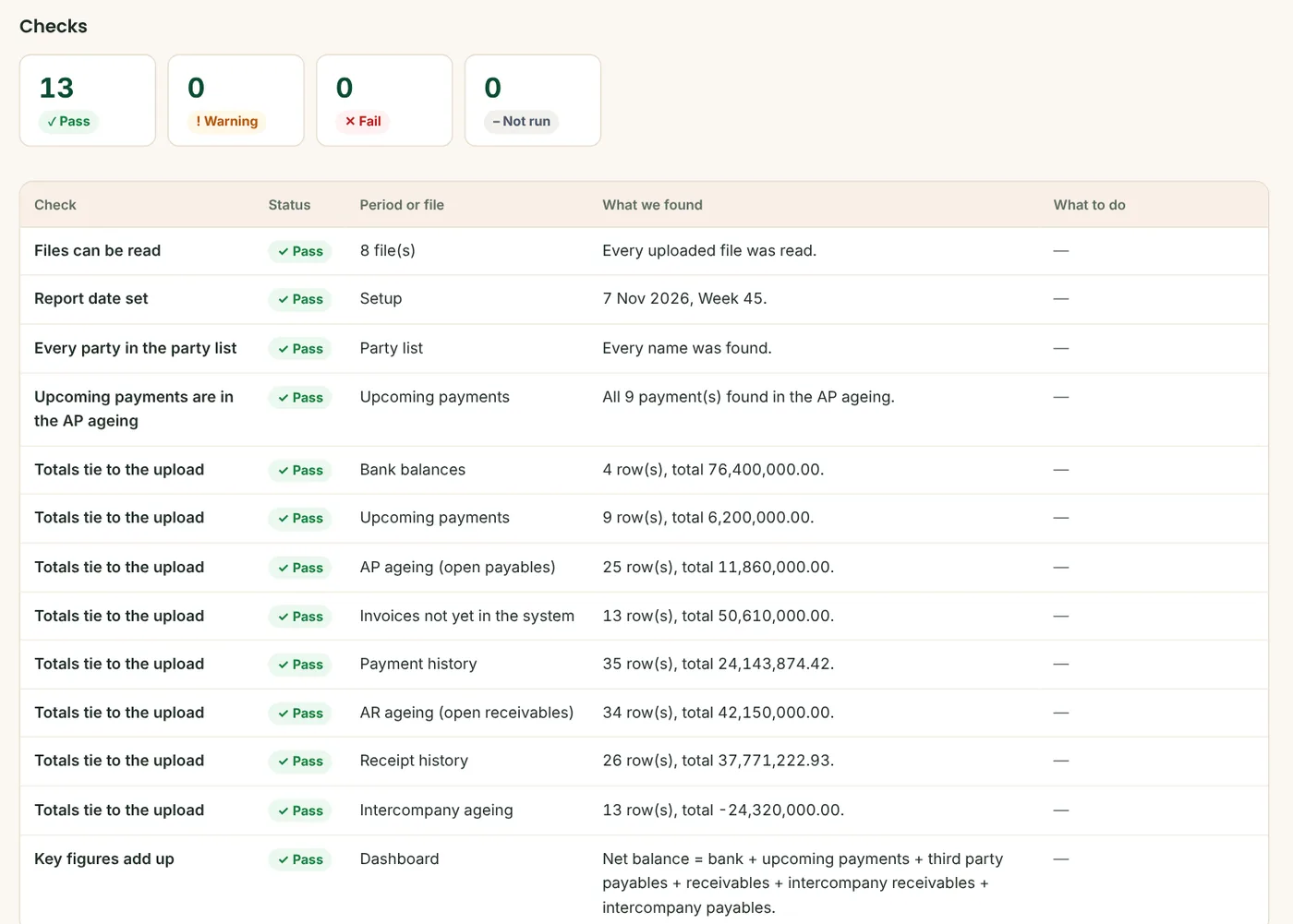
Checked before anything is built
Every file is read and tied to its total, every party is matched, and every payment due must appear in the payables ageing.
On your phone too
The week's position in any browser, on desktop, tablet or phone, with the same sign-in as LedgerLens and CashLens.
Three steps each period.
Upload
Bank balances, payments due and your AP and AR ageing, plus intercompany and history if you have them.
Check
FinanceLens ties every file to its total, matches every party and adds up the key figures.
Act
Review the dashboard, defer payments with a reason, and download the Excel pack.
Calculated, not guessed.
Every figure is calculated by tested code from your own files and checked against their totals. Nothing is typed in or produced by AI.
Your company only.
Each client login sees only its own company. Passwords are stored as salted hashes, the app runs over HTTPS, and your data is never shared or used to train anything.
See FinanceLens on your own numbers.
Send us one period of your reports and we'll set up a pilot so you can judge the result yourself.